By a consumer technology writer who has helped three different family members switch from Ziggo to IPTV and answered every question at least twice.
Most IPTV guides assume you already know what IPTV is and just need help choosing between providers.
This one does not assume that. It covers everything a Dutch household needs to know before buying an IPTV subscription in 2026: what the technology actually is, what it costs compared to Ziggo and KPN with specific numbers, how to pay with iDEAL, what your cancellation rights are under Dutch law, which devices work and why some work better than others, and how to set up the whole thing without calling anyone for help.
What IPTV Is: The Technology Explained Simply
Television has been delivered two ways for most of its history: through the air (antennas, then digital terrestrial) and through a cable or satellite. Both methods use dedicated physical infrastructure to carry a broadcast signal. When Ziggo delivers your television channels, those channels travel through Ziggo’s coaxial cable network from their headend to your home. The infrastructure is purpose-built for television delivery and handles nothing else.
IPTV — Internet Protocol Television — uses a fundamentally different delivery mechanism. Instead of a dedicated cable, television content is encoded into data packets and delivered over your existing broadband internet connection using the same internet protocol (IP) that carries your web browsing, email, and video calls. The television channel is reassembled from these packets by an app on your Smart TV, Fire Stick, or streaming device, which decodes the video and audio and displays them on screen.
The practical result: you need no additional cable infrastructure, no decoder box rental, no engineer visit, and no new hardware. If you have a broadband internet connection and a compatible device, you can receive IPTV. The same fibre connection you already pay for to KPN, Ziggo, or Odido delivers both your internet and your television through a single pipe.
This is why IPTV can be significantly cheaper than cable. Ziggo’s traditional TV service requires them to maintain a nationwide coaxial cable network, headend facilities, decoder hardware at every subscriber’s home, and an engineering workforce for installation and fault repair. An IPTV provider requires server infrastructure and software. The cost differential is primarily infrastructure.
The Cost Comparison: Real Numbers for Dutch Households
A Dutch household watching sport and using one streaming service in 2026 pays approximately the following through Ziggo:
- Ziggo TV Standard: approximately 42.50 euros per month
- ESPN Compleet add-on: 17.95 euros per month — required for all Eredivisie matches
- Ziggo Sport Totaal: approximately 14.95 euros per month — required for Champions League, Formula 1, La Liga
- Netflix Standard: 15.99 euros per month
Monthly total: approximately 91 euros. Annual total: approximately 1,092 euros.
An IP TV subscription covering the same channels costs 15-25 euros per month all-inclusive. Adding Netflix separately: 15.99 euros. Total: approximately 35-41 euros per month, or 420-492 euros annually. The annual saving versus the Ziggo arrangement ranges from 600 to 672 euros.
KPN and Ziggo increased prices by 14.1% and 14.9% respectively between 2023 and 2025, with both applying additional 3.3% increases in 2026. Over the same period, IPTV subscription pricing in the Dutch market has remained relatively stable, widening the gap with each annual cable price increase.
The Dutch TV Channels You Actually Get
A legitimate Dutch IPTV subscription includes the full Dutch channel lineup that most households actually watch. Here is what this covers in detail:
Public broadcasting — NPO
NPO 1 (main entertainment and NOS Journaal), NPO 2 (cultural, documentary, current affairs including Nieuwsuur), NPO 3 (youth, alternative, late-night), NPO Zapp (children’s programming including Klokhuis, SpangaS, Ik Ben Jack), NPO Zappelin (pre-school: Sesam Straat, animated shorts), NPO Politiek en Nieuws.
Regional omroepen: AT5 (Amsterdam), RTV Rijnmond (Rotterdam), Omroep Brabant (Noord-Brabant), L1 TV (Limburg), Omroep West (Den Haag and Leiden), RTV Noord (Groningen), Omroep Flevoland, RTV Oost, Omroep Gelderland, TV Zeeland, Omroep Friesland, RTV Utrecht, RTV Drenthe. All regional omroepen are available in quality Dutch IPTV subscriptions.
Commercial broadcasting — RTL group and SBS
RTL 4 (largest commercial channel: entertainment, reality, talk shows), RTL 5 (film, entertainment), RTL 7 (sport, entertainment), RTL 8 (women’s lifestyle programming). The RTL group, whose daily schedule is published at RTL.nl, is the Netherlands’ largest commercial broadcaster by viewership and advertising revenue.
SBS group: SBS6 (entertainment, lifestyle), Veronica (music, youth culture, entertainment), Net5 (women’s programming), SBS9, Veronica TV.
Sport channels
ESPN 1, ESPN 2, ESPN 3, ESPN 4: covers all Eredivisie matches (under exclusive rights), Keuken Kampioen Divisie, KNVB Beker, UEFA Europa League, UEFA Conference League, Bundesliga, Copa del Rey, Copa Libertadores.
Ziggo Sport, Ziggo Sport Totaal: covers UEFA Champions League, UEFA Europa League qualifying, Formula 1 (in cooperation with Viaplay), La Liga, Serie A, Ligue 1, Premier League highlights, MotoGP.
Viaplay Sports channels (where included in the subscription): Formula 1 live coverage with Dutch commentary has moved primarily to Viaplay after Max Verstappen’s rise created massive domestic demand for Dutch-language F1 coverage.
How to Pay: iDEAL and Why It Is the Right Choice
iDEAL is the Netherlands’ dominant online payment system, holding 71% of all Dutch online transaction market share. In 2025, 1.3 billion iDEAL transactions were processed, representing a 9% increase over the previous year. The total transaction value reached 442 billion euros in 2025. These numbers reflect a payment system embedded in Dutch digital commerce at every level.
iDEAL works through your bank’s own online banking infrastructure. When you choose iDEAL at checkout, you select your bank from a list, are redirected to your bank’s familiar login interface, authenticate using your normal banking credentials, and authorise the specific payment. The merchant (the IPTV provider) receives only a payment confirmation and the transferred amount — no access to your banking credentials, account number, or authentication information.
This architecture makes iDEAL significantly more secure than credit card payments for Dutch online purchases. Credit card payments expose card details to the merchant and to their payment processor, creating multiple points at which data can be compromised. iDEAL transactions involve no data transfer beyond payment confirmation.
For Dutch IPTV subscribers, iDEAL acceptance has an additional significance: establishing an iDEAL payment processing relationship requires a Dutch company registration, active Dutch banking relationships, and compliance with Dutch financial regulations. A provider who accepts iDEAL has cleared these thresholds. Research from Adyen found that 63% of Dutch consumers abandon a purchase if their preferred payment method is unavailable — which is why legitimate Dutch-market providers prioritise iDEAL.
An iptv abonnement Nederland paid via iDEAL gives you the additional protection that iDEAL payment disputes are handled through your Dutch bank, which has established complaint procedures for transaction disputes under Dutch financial regulation.
Your Legal Rights as a Dutch IPTV Subscriber
The 14-day cooling-off period (herroepingsrecht)
Dutch consumer law — specifically the Wet Koop op Afstand regulations implementing the EU Consumer Rights Directive — provides a 14-day cooling-off period for all online service purchases. Within this period, you can cancel the subscription and receive a full refund without giving any reason.
For digital services that begin immediately (such as IPTV where credentials are delivered at subscription), there is an important nuance: the provider may ask you to explicitly agree that the service begins during the cooling-off period, and by agreeing you waive your right to a refund for services already consumed. This waiver must be explicit and informed. If the provider activates your subscription without asking for this explicit consent, you retain the full 14-day right regardless of service usage.
Maximum one-month cancellation notice
For ongoing monthly subscriptions after the initial period, Dutch statutory law limits the maximum notice period to one calendar month. A provider whose terms specify a longer notice period — two months, three months — is imposing terms that conflict with statutory consumer protection. The statutory protection prevails; you cannot be legally required to give more than one month’s notice regardless of what the terms say.
Right to cancel in the same way you subscribed
If you subscribed online, you must be able to cancel online. ACM ConsuWijzer documents this right explicitly: providers cannot require phone cancellation for online subscriptions. A provider who makes online cancellation difficult — by hiding the cancel button, requiring extensive verification before cancelling, or routing cancellation requests through non-functioning contact forms — may be in breach of Dutch consumer protection regulations.
Device Setup: Which Device, Which App, and Why It Matters
Samsung Smart TV (Tizen OS)
Samsung accounts for approximately 35-40% of the Dutch Smart TV market. Samsung TVs run Tizen OS, which has a more restrictive app store than Android. IBO Player and Smart IPTV are both available natively in the Samsung Smart Hub without sideloading. TiviMate — the most feature-rich IPTV app — is not available on Tizen. Smart IPTV requires a one-time activation payment of 5.49 euros per TV.
Samsung TVs from 2020 onward support H.265 hardware decoding, enabling 4K stream playback without performance issues. Samsung TVs from before 2018 may not support the current versions of IBO Player or Smart IPTV — check the app store for compatibility information.
LG Smart TV (WebOS)
LG TVs run WebOS, which has broader app store access than Samsung Tizen. IPTV Smarters Pro and IBO Player both install from the LG Content Store on WebOS 4.0 and above. LG WebOS tends to handle a wider range of video codecs than Samsung Tizen, providing better compatibility with diverse stream formats from international providers.
Amazon Fire Stick 4K
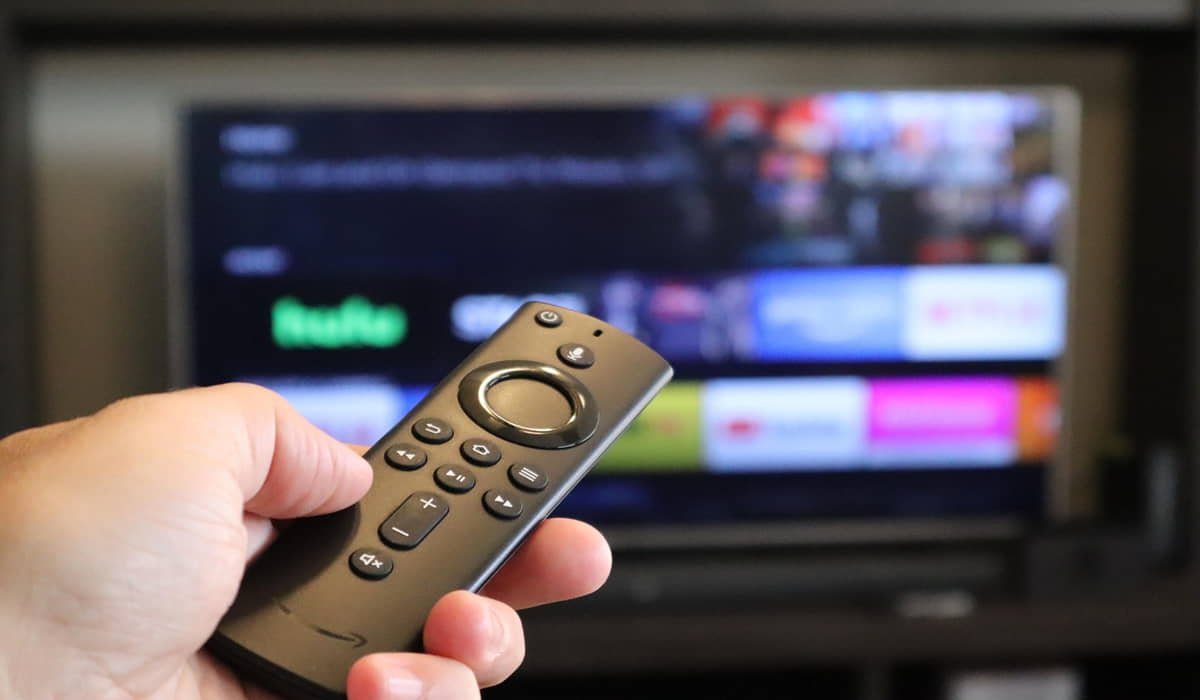
The Fire Stick 4K is available at MediaMarkt, Coolblue, and bol.com for approximately 40-55 euros. It is the most commonly recommended dedicated IPTV device in the Dutch market for several reasons: it costs less than most Android TV boxes while offering similar capability for IPTV, IPTV Smarters Pro installs directly from the Amazon Appstore without sideloading, TiviMate installs via the Downloader app (a ten-minute process), and it supports hardware H.265 decoding for 4K streams without thermal throttling.
Android TV box
Devices from Mecool, Xiaomi, Formuler, or Nvidia Shield run full Android TV with unconstrained Google Play Store access. Every major IPTV app installs directly. TiviMate, IPTV Smarters Pro, IBO Player, and any other app are all available without sideloading. Android TV boxes are the preferred platform for technically engaged IPTV users who want the most configurability and the best EPG implementation (TiviMate Premium).
The ethernet cable advice everyone should follow
Regardless of which device you choose, connect it to your router via ethernet cable rather than WiFi wherever possible. WiFi introduces variable latency caused by radio interference, competing networks in the same frequency bands, and the CSMA/CA collision-avoidance mechanism that all WiFi devices use. This variable latency — not total bandwidth — is the primary cause of live stream buffering in households with adequate total internet speed.
A 3-euro ethernet cable from the router to your television or streaming device eliminates this variable latency entirely for wired connections. If routing a cable is impractical, a Powerline adapter pair (40-60 euros at MediaMarkt) routes ethernet signal through your household electrical wiring. Not as reliable as direct ethernet but substantially more stable than WiFi for live television.
Using the Free Trial Before Paying
Before committing to a monthly or annual subscription, use a Gratis Test to verify the specific channels you watch work well on your specific device at your specific internet connection quality. Generic service reviews cannot tell you this — only testing on your own setup can.
Run the trial at the times you normally watch television. If you watch the NOS Journaal at 20:00, test at 19:50 and keep the stream running through 20:00. If you follow the Eredivisie, test during a live match on ESPN. If your household has two viewers simultaneously, test two streams at the same time. The trial reveals your specific household’s experience, not an averaged experience across thousands of subscribers.
Consumer programmes like Radar from AVROTROS consistently recommend using trial periods for streaming services before committing financially. Their consumer guidance specifically highlights the importance of testing during peak viewing hours rather than accepting off-peak trial performance as representative of the service you will receive year-round.
Frequently Asked Questions
Can I keep my Ziggo or KPN internet if I switch to IPTV for television?
Yes. You cancel only the television component of your Ziggo or KPN package and retain the internet service. Ziggo internet and Ziggo TV are separate services that happen to be sold as a bundle. Most Ziggo internet plans are available as standalone products. Cancelling television from a Ziggo bundle typically reduces your monthly bill by the television component while keeping your broadband service unchanged.
How long does setup take after subscribing?
Credential delivery by email: typically within minutes to a few hours of subscription, depending on the provider’s activation process. App installation: 5-10 minutes. Entering credentials and loading the channel list: 5-10 minutes. EPG loading on first setup: 15-60 minutes. Total time from subscription to watching television: usually under one hour, often under 30 minutes.
Is IPTV legal in the Netherlands?
IPTV as a technology is completely legal — it is the same delivery mechanism used by Ziggo GO, KPN iTV, and NPO Start. The legal question is whether the specific provider holds proper content distribution licenses. A provider with transparent Dutch company registration, iDEAL payment acceptance, AVG-compliant privacy documentation, and pricing consistent with licensed content costs is operating within Dutch law.
What happens if the IPTV provider shuts down?
The service stops working. This is the primary risk with any IPTV subscription, particularly with unlicensed providers who may be subject to enforcement action. Legitimate providers with proper licensing have less shutdown risk because they have a legal right to distribute the content they offer. Month-to-month subscriptions limit financial exposure — if a provider shuts down, you lose at most one month of prepaid subscription rather than a full annual payment.
Can I watch IPTV during a power cut?
IPTV requires your internet router, modem, and streaming device to be powered. During a power cut, all of these stop working. Unlike traditional broadcast television (which requires only a powered TV), IPTV depends on powered network infrastructure. For households where television during power cuts is important, a UPS (uninterruptible power supply) can keep router and streaming device running for 30-120 minutes during brief outages.
This article is for informational purposes. Prices and availability reflect the Dutch market as of April 2026. Dutch consumer law provisions are described in general terms.